Two of the most common AI programs for creating written materials are ChatGPT and Gemini. I’ve used both, mostly ChatGPT, and found that the results can be amazing… as long as you use the best prompt.
These AI programs aren’t flawless by any means, but they do an increasingly good job. The quality of the output will always, in part, depend on the quality of your input (prompt).
You may have heard the term garbage in-garbage out. This originated in the computer field. It means if you don’t put in the right code, you won’t get proper results.
The same thing applies when using AI. If you don’t put in the right prompt, you won’t get the results you want.
Here is an overview of how to create the perfect AI prompts:
Step 1: Define the Objective
What do you want? A 500 word blog post? A content calendar? Youtube video script? Figure out the exact result you’re looking for and create a prompt for that.
Step 2: Provide the relevant information
If you are asking the AI to write a blog post tell it the length, the tone (professional, casual, conversational, etc.) the subject and what, keywords you want included. In short, the more information you provide, the better the result.
Step 3: Keep it Concise
While detail is important don’t go overboard. Think of it like Who, What, Where, Why and When, just the facts!
Step 4: Avoid Jargon
Unless it’s necessary don’t use a lot of jargon. Keep your prompt simple, detailed and in plain language.
Step 5: Refine your prompt.
If this results aren’t what you wanted, just evaluate the prompt and include more details. This extra step can help you create an effective prompt that you can use over and over.
Here are a few examples:
Prompt: “Given the increasing trend towards remote work, what are three key strategies that have proven effective in maintaining productivity and team collaboration? Please provide detailed explanations and examples from successful implementations.”
Prompt: “Write a short story (500-700 words) set in a dystopian future where technology governs every aspect of life. The protagonist is a young hacker trying to break free from the system. Focus on their internal conflict and the world-building details.”
Prompt: “I am experiencing a bug in my Python code where the program crashes when processing large data files. The error message is ‘Memory error: Unable to allocate memory.’ What are some potential solutions to handle large data efficiently in Python? Please provide code examples and explanations.”
Common Pitfalls to Avoid
Vagueness: Avoid prompts that are too broad or vague. Specificity is key.
Over-complication: Don’t overload the prompt with too many questions or requirements. Break it down if necessary.
Assumptions: Unless you’re continuing an existing conversation, don’t assume the AI will have prior knowledge that isn’t provided in the prompt.
NOTE: I don’t think I mentioned it before, but these chat programs can save and remember past chats. So if you need something on the same topic as a previous chat you can go to that chat and ask for more information on that topic, you don’t need to start a whole new chat.
Final Prompt Checklist
Is the objective clear?
Have I provided enough context?
Is the prompt specific and detailed?
Is the language clear and concise?
Have I tested and refined the prompt?
Hope this helps.
Whether we like it or not, and some people don’t, I suspect AI is here to stay. While I do have some concerns, I’m going to embrace the benefits of Ai to become more productive in my work and personal lives.
Here is a list of the most commonly requested help from ChatGPT. These topics are for both work and personal issues. I’ve included the best prompts to use in order to get the most accurate results.
If you need to add more details to any prompt, such as a specific word length for a blog post, you can simply add something like “Make the post between 1,000 and 1,500 words in length”.
Enjoy!
Prompts for Work-Related Tasks
Writing and Editing:
“Please draft an email to [recipient] about [subject].”
“Can you create a report on [topic] with the following details: [details]?”
“Proofread the attached document for any grammatical or spelling errors.”
“Write an article about [topic] for our blog, focusing on [specific aspect].”
“Compose a business proposal for [project] including [key points].”
Data Analysis:
“Analyze this dataset on [topic] and provide insights on [specific aspect].”
“Create a chart/graph illustrating [data points] from this dataset.”
“Interpret the statistical data related to [topic] and summarize the findings.”
“Summarize the results of this survey on [topic] and highlight key trends.”
“Perform market research on [industry/competitor] and compile the findings.”
Project Management:
“Plan a project for [task] and outline the key steps involved.”
“Create a timeline for [project] with milestones and deadlines.”
“Set up milestones for [project] and define deliverables for each stage.”
“Track the progress of [project] and provide a status update.”
“Manage the resources for [project] and ensure all tasks are allocated properly.”
Research:
“Find academic articles on [topic] and summarize their key points.”
“Summarize this research paper on [topic] highlighting the main findings.”
“Gather industry insights on [topic] and compile a report.”
“Conduct a competitive analysis of [competitor] and provide a comparison.”
“Compile a literature review on [topic] including [number] of sources.”
Technical Support:
“Troubleshoot this software issue with [software name] and provide a solution.”
“Provide coding help for [language] to achieve [specific goal].”
“Explain the technical concept of [topic] in simple terms.”
“Assist with the installation of [software/hardware] and ensure it’s set up correctly.”
“Help debug this code snippet in [programming language] to fix [issue].”
Presentations:
“Design slides for a presentation on [topic] with the following key points: [points].”
“Structure a presentation on [subject] including an introduction, body, and conclusion.”
“Add speaker notes to the presentation slides for [topic].”
“Create visual aids for a presentation on [topic], focusing on [aspect].”
“Enhance the aesthetics of this presentation on [topic] with better graphics and layout.”
Marketing and SEO:
“Develop a marketing strategy for [product/service] targeting [audience].”
“Create social media content for [platform] about [topic/event].”
“Conduct keyword research for [topic] and provide a list of targeted keywords.”
“Write an SEO-friendly article on [topic] incorporating [keywords].”
“Analyze web traffic for [website] and suggest improvements.”
Financial Analysis:
“Create a budget for [project/department] with estimated costs and revenues.”
“Analyze the financial statements for [company] and provide insights.”
“Develop a financial model to forecast [financial metric] over [time period].”
“Perform a cost-benefit analysis for [project/decision] considering [factors].”
“Prepare an investment report on [company/industry] including key financial metrics.”
Administrative Support:
“Schedule a meeting with [person/department] for [date and time].”
“Organize these files related to [project/topic] in a structured manner.”
“Manage the contact list for [department/team] and update any changes.”
“Write meeting minutes for the meeting on [date] and highlight key decisions.”
“Handle customer inquiries regarding [product/service] and provide appropriate responses.”
HR and Recruitment:
“Draft a job description for the position of [job title] with the following requirements: [requirements].”
“Screen resumes for the position of [job title] and shortlist suitable candidates.”
“Prepare interview questions for candidates applying for [job title].”
“Conduct preliminary interviews with candidates for [job title] and assess their suitability.”
“Onboard new employees for [department] and ensure they have all necessary resources.”
Personal Use Tasks
Writing:
“Compose a personal letter to [recipient] about [topic].”
“Write a creative story with the following plot: [plot details].”
“Draft a speech for [event] on the topic of [subject].”
“Create a resume highlighting experience in [field/industry].”
“Write a cover letter for a job application to [company] for the position of [job title].”
Learning and Education:
“Explain the concept of [topic] in simple terms.”
“Provide homework help for a [subject] assignment on [topic].”
“Tutor me in [subject] focusing on [specific area].”
“Summarize the book
Lorem ipsum dolor sit amet...
by [author] highlighting the main points.”
“Offer study tips for preparing for exams in [subject].”
Health and Fitness:
“Create a workout plan for [fitness goal] that includes [types of exercises].”
“Provide nutritional advice for maintaining a healthy diet.”
“Suggest healthy recipes that include [ingredients].”
“Explain the medical condition [condition] and its common treatments.”
“Offer mental health tips for managing [stress/anxiety/depression].”
Travel Planning:
“Recommend travel destinations for a [type of trip] to [region].”
“Create an itinerary for a [number]-day trip to [destination].”
“Find accommodation options in [city] within [budget].”
“Suggest activities to do in [destination] that cater to [interests].”
“Provide a packing list for a trip to [destination] considering [weather/activities].”
Entertainment:
“Recommend movies and TV shows similar to
Lorem ipsum dolor sit amet...
.”
“Suggest books to read that are like
Lorem ipsum dolor sit amet...
.”
“Find interesting podcasts about [topic].”
“Create a playlist for [event/mood] featuring [genre/artist].”
“Provide game recommendations for [platform/type].”
Home and Lifestyle:
“Offer home organization tips for [space/room].”
“Suggest DIY projects for [purpose/occasion].”
“Provide cleaning hacks for [task/problem].”
“Give gardening advice for growing [plant/vegetable].”
“Offer interior design tips for decorating [room/space].”
Cooking and Recipes:
“Share a recipe for [dish] that includes [ingredients].”
“Suggest a meal plan for [dietary preference] for [duration].”
“Provide cooking tips for making [type of cuisine/dish].”
“Explain the cooking technique for [method].”
“Recommend kitchen gadgets that are useful for [type of cooking].”
Technology Help:
“Assist with setting up [device] and ensure it’s working properly.”
“Provide app recommendations for [purpose/need].”
“Troubleshoot the tech issue I’m having with [device/app].”
“Explain how to use [new technology/feature].”
“Offer cybersecurity tips to protect against [threat].”
Finance and Budgeting:
“Create a personal budget for [time period] considering [income/expenses].”
“Provide saving tips for [goal] within [time frame].”
“Offer investment advice for [amount] in [type of investment].”
“Explain the financial concept of [term] and how it applies to [situation].”
“Help with tax questions related to [situation] and explain [tax term].”
Relationship Advice:
“Offer communication tips for discussing [issue] with [person].”
“Provide conflict resolution strategies for handling [situation].”
“Give dating advice for [situation].”
“Suggest activities for couples that enjoy [interest/hobby].”
“Offer family relationship tips for dealing with [issue/situation].”
It’s important to keep some things in mind when using AI:
Some AI programs are better for some tasks than others
You need to verify the information you get, it’s not 100% accurate
Depending on what you’re using AI for, you may need to do extensive rewrites. Search engines seem to be penalizing blog posts that rely heavily on AI
Just a heads up, the links in this post are probably affiliate links which means if you click on them and choose to make a purchase, you won’t pay one penny more but I may earn a small commission!
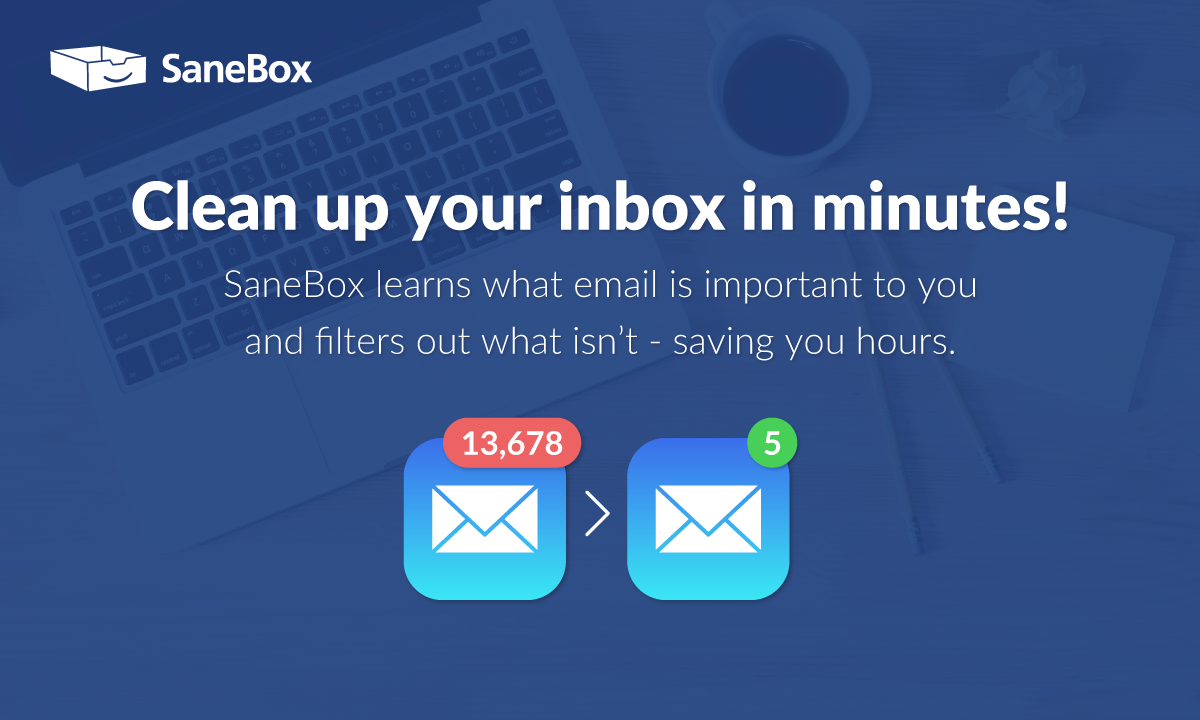
Start a free SaneBox trial and get a credit for $25 dollars towards any subscription plan click here.
The Review
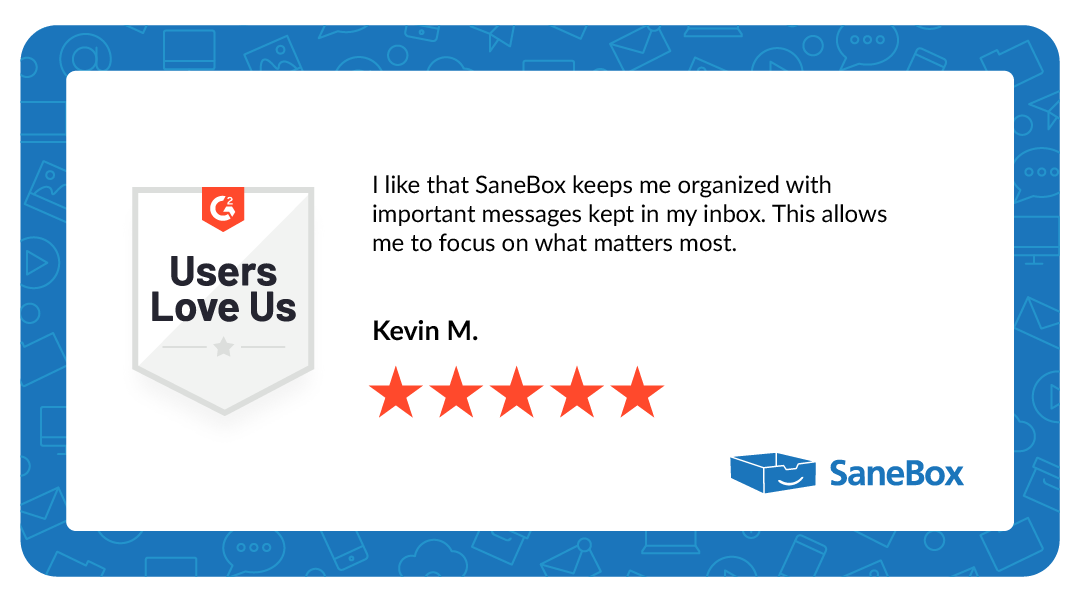
SaneBox is an ai tool designed to easily control your email inbox. You can set the parameters you want and from that point on the ai will automatically prioritize and filter your emails.
The best part is that it doesn’t just send emails to spam, it enables you to decide which emails you want to see. If you have emails that you will never want to see, you can send them to the black-hole. Either way, it’s up to you!
SaneBox works with most major email providers. And it won’t delete or move any emails to the spam folder unless you tell it to.
Main features:
Email Filtering: SaneBox can filter your emails automatically. Once you tell the ai which folders you want certain types of emails sent to, Sanebox will do it automatically.
Priority Inbox: SaneBox knows which emails you really want to see and keeps them at the top.
Reminders: Sanebox will remind you to reach out to someone again if they haven’t responded to your email.
Do Not Disturb: When you’re exceptionally busy, you know a normal Tuesday, you can set Sanebox to temporarily hold all emails that aren’t urgent.
Digests: Unlike the spam filter on some email providers which get rid of emails you might have wanted to see, SaneBox sends you a daily or weekly summary of unimportant emails, reducing clutter in your inbox but giving you the option of looking them over.
Blackhole: And, if there are some emails you never want to see, you can send them to the blackhole, automatically!
Pros:
Free Trial: You can see if SaneBox is the right tool for you with their free trial.
Saves Time: Everything is sorted for you based on your preferences. Your important messages are right at the top of your list
No More Cluttered Inbox: By moving various types of emails into folders your inbox is kept un-cluttered so an important email never gets lost in the crowd.
You Can Customize Your Filters: You can customize the filters based on your preferences so the AI will adapt to what you need.
Integration: You can use Sanebox with most email services like Gmail, Outlook, Apple Mail, etc.,
Reminder Features: Reminds your email hasn’t gotten a response.
Blackhole Feature: (I love this one!) Unsubscribe from senders you really don’t want to hear from again!
Weekly Updates : You get summary emails of emails that aren’t as important so you never miss out but you don’t get interrrupted either.
Cons:
Learning Curve: SaneBox is very user friendly but like any new tool, you need to set it up to your preferences.
Not for Everyone: If you don’t get overwhelmed with too much email, you probably don’t need Sanebox!
Bottom Line
SaneBox gives you a ton of options and control over where you email messages go. I have personally had issues with traditional spam folders because what I consider spam and what the algorithm considers spam are sometimes very different.
If you want a cleaner inbox – less clutter and a lot less overwhelm, and you want to control which emails you see, which emails can wait and which emails are sent to spam, Sanebox is a good option.
You can start a free trial at this link AND you get a $25 credit towards a subscription of Sanebox if you’re interested!
Using AI for your business is a great time saver. I got in on the Ai train pretty early on. I love AI. I use it for a lot of things. BUT, I don’t use it for my blog posts or content. I am one of those weird people who actually like to write. I get paid to write. So, I use AI only for very specific purposes.
Advantages of Using AI
Ai is a great addition to virtually any business, especially a content marketing affiliate business. Content marketing is a great way to get highly targeted, free, traffic to your offers. But it takes a lot of content. Coming up with content ideas can be hard, AI can help.
AI is fast. You can save a ton of time using AI to help with parts of your affiliate marketing business. Writing a 1000+ word article with AI takes about 40 seconds, writing a 1000+ word article on your own can take hours, or more. But, use the AI generated content as an outline only, rewrite it in your own words, and double check to make sure the information is accurate.
AI can create lists of content ideas. If you don’t know what to write about, use AI to generate a list of ideas for blog posts or video ideas. And, you can even tell the AI to create topic ideas and put them in a content calendar format.
Generate titles and more. You can also use AI to give you ideas for titles, descriptions as well as create video scripts. The AI can access descriptions as well as reviews on popular online retailers and create a synopsis of that information. This can save a ton of time when you’re in research mode for a new piece of content.
Don’t Use AI For This
When I first start using AI I thought I had hit the jackpot. Yay! I could have the AI create dozens, hundreds?, of pieces of content for me and all I had to do was upload it and add some images.
WRONG!
AI has a lot of limitations. The first thing I noticed, I do think this may be getting better though, is that much of the content I had the AI write for me was plagiarized. Yikes, not good.
I quickly learned that I had to rewrite much of the article just to make sure it was original. Eventually I realized that for me the best use of AI is to just provide an outline of a certain topic but I had to completely rewrite itin my own words.
That’s not actually bad, more time consuming yes, but not bad. After all the point of creating content is to build an audience and write in your voice with your words and style. AI doesn’t have a voice, you do.
Some More Limitation of AI
If you’ve never used Ai, I primarily use ChatGPT, you don’t know how “cold” it sounds. True, you can prompt the Ai to write in a more conversational tone, but it still usually misses the mark and comes of sounding odd and weirdly formal.
It is a computer program after all, not human. It doesn’t get nuances.
ChatGPT isn’t connected to the internet. Last time I heard, the programming of the AI was only as recent as 2021. That means that it can’t write on topics or products that are newer than that. I’ve also read stories of how some lawyers tried to use it to write legal briefs and all the information was incorrect.
Another issue with AI, is that it is completely reliant on the prompt you use. The more information you provide the AI, the better the response. It may take you some practice to find quality, detailed prompts that result in the type of information you’re looking for.
There are places online that can provide you with helpful prompts but I’ve found the more detailed the prompt the better the result.
Will AI Affect My Rankings In Search Engines?
First of all I want to be completely transparent – I am in no way an expert on SEO. I have a little understanding of the broad strokes but that’s it.
I do believe there may be a learning curve for the search engines, but I think that they will eventually root out AI and rank human generated content higher.
For example, I suspect that if 2 fairly identical, in terms of length and quality, articles were published, the one that is human would be more likely to rank. Again, that’s just my opinion and I don’t know for sure.
Trust
Another thing to consider is that if you’re writing a blog, or creating any other content, you want your visitors to get to know you and trust you. If they think the content you’re creating isn’t yours, it seems likely you wouldn’t build rapport or trust with your audience.
Building trust and rapport with an audience is the whole point of starting a blog and doing content marketing in the first place. Without that, what’s the point?
The Bottom Line
AI is an amazing tool and there are free versions you can use. While not perfect, there are many helpful uses for AI in your affiliate marketing business:
Create a content calendar for the month including content ideas
Create title, tags and description ideas
Create an article outline that you can use to write your article
Blog post topic ideas
Video ideas
Video scripts
Writing emails
As long as you use AI for inspiration and outlines and then you write in your own words, this amazing technology can make your workday easier.
Also, I think most of us think AI is “smart” but often times the information you get from some AI programs is wrong. Always double check facts and figures that are generated in an AI piece of content.
Use AI to inspire you and speed up the content creation process but don’t make the mistake of thinking that it can, or should, do the work for you!
Welcome to our review of the best black executive desk. We’ve found 4 amazing looking desks that will elevate any office, home or not. You deserve a workspace that reflects your personal style as well as being attractive and comfortable. The desks in this review deliver style, comfort, storage and great looks. All you have to do is choose the desk you like the most!
[wptb id=2407]
There might be differing options about what makes an executive desk. We think it should be spacious, extremely well made and attractive. That was our main criteria for choosing the desks for our review. These desks are all wood, large, and will make any office look like a boss. For each desk we’ve included the specs, general information and pros and cons. We also provide you with a link for each so you can check pricing or make a purchase.
Whether you prefer a modern executive desk or something more traditional, we’ve got you covered. Read on to learn more about our top picks!
Just a heads up: SimpleOnlineProfit.com is a participant in the Amazon Services LLC Associates Program and other affiliate programs. That means that you should assume all links to products or services for sale are affiliate links. If you click on a link and make a purchase, you won’t pay one penny more but I may earn a commission.
OUR TOP PICK – Best Modern Style Adjustable Desk
Zuri Furniture Ford Executive Modern AdjustableDesk
This is a really large desk, it has a lot of storage with 4 locking drawers that are big enough for legal size handing folders. Two doors, one in front and one in back, that provides open shelving as well as a place to store your computer tower which opens up room on your desktop.
The desktop is controlled by an electric motor and comes with memory presets so when you find your perfect height for sitting or standing, you just push a button to return to that height.
Three tiers provide a lot of storage for your accessories as well as 2 locking storage cabinets with shelves. The solid wood design and the ability to change the orientation of the desk return gives you tons of options for how you arrange your office.
Just look at this desk and tell me it won’t wow all your customers and clients!
This desk is big and heavy and you will need help setting it up.
SPECS
Product Dimensions 71″D x 95″W x 30″H
Color: Black
Style Modern
Base Material: Wood
Top Material Type: Wood
Reversible Orientation: Yes
CPU Storage: Yes
Number of Exterior Shelves: 3 ,9
Number of Cabinets: 2
Locking Cabinet: Yes
Number of Interior Shelves: 2
[wptb id=2413]
OUR TOP PICK – Best Traditional Style Executive Desk
Bowery Hill Traditional Leather Top Executive Desk
This timeless style desk will look great in any home office. Constructed of hard wood solids with cherry veneers it is a showpiece. It has 7 drawers which are on ball bearing slides for quiet and effortless access to your office files and accessories. The desk comes with 2 files drawers and 2 pullout writing slides.
Center drawer has a drop down keyboard tray. The desk weight 334 lbs. so you’ll need help getting in and setting it up.
And our final pick is the more budget friendly Zuri Modern Executive Desk with filing cabinets. This desk is modern and elegant and will make a great addition to any office. Four drawers with ball bearing slides gives you tons of storage at your fingertips. A panel complete with wire management ports to keep cords out of sight and out of the way.
Both pedestals have a upper and lower storage drawer. The lower drawers are ready for file folders and will accommodate both legal and letter size folders. A large keyboard tray which can also be used for notepads, makes for a more ergonomic typing experience.
SPECS
Overall: W 79″ x D 32″ x H 29.5″
Desktop: W 63″ x D 31.5″ x H 29.5″
Black American Oak Wood Veneer with Open Grain Finish
Silver Painted Wood Feet
4 Locking Drawers with 2 for Letter or Legal Filing
265 LBS
Base Material: Wood
Finish Type: Painted Wood,Wood
[wptb id=2415]
Create A Dream Home Office Without The Price Of A Designer
Hopefully you have your gorgeous executive desk picked out and ready to go, now you might be wondering how to create a perfect space to compliment it. Not to worry. We’ve found the top 4 designer tips to create a dream home office that is comfortable and stylish!
Where to place your black executive desk
According to feng shui you should have your desk placed so your back is to the wall and that you aren’t in the direct line of the doorway. This is what’s referred to as the commanding position. Perfect for you! This is believed to increase your energy level.
Depending on your office layout you can place your desk directly in front of a window for plenty of natural light. You can place your desk so you’re either looking out the window, or your back is to the window. That way you’ll get plenty of natural light shining in on your monitor and desktop.
If you are on video calls often, take into consideration what people on the call will be looking at besides you. You may prefer placing your desk so your back is against a wall rather than a window so there aren’t any people or animals moving around in the background.
Chairs
Depending on what you do, and whether or not you have office visitors very often, you may want to consider adding supplemental seating. I personally enjoy having a recliner in my office so I can work on my laptop in a more comfortable position. But, if you have clients, or kids, that pop in occasionally, provide them with a place to sit. Also, make sure that whatever chairs you have in your office, are ergonomic.
Storage
Bookshelves or filing cabinets are a necessary addition to any home office. As my mom used to say, “A place for everything and everything in it’s place”. Having enough storage keeps clutter and chaos at bay… at least a little bit!
Good Light
Plenty of light is important in any office especially if you spend a lot of time on your computer. Eye strain is a real issue and poor lighting can compound it. Desk lamps, overhead lights and natural light can all be layered to provide the perfect lighting.
The Best Black Executive Desk Review – The Bottom Line
Ok, that’s it. We found 4 desks that are gorgeous and perfect for any executive. Our review includes both modern and more traditional design, so something for most everyone. Each desk is very large, made of wood, and very heavy. They are all stunning in their own way so it’s up to you which style will fit best in your office and with your current decor.
Each desk is manufactured by reputable companies and should last for years. There are some differences in not only looks but functionality well. The biggest different among the desks we reviewed is that one of them, the Zuri Furniture Ford Executive Modern AdjustableDesk, is adjustable so you can use it when standing or sitting.
I’m sure that whatever desk you choose your productivity will skyrocket! Well, maybe not, you might spend a little too much time admiring your new office! Enjoy.
Welcome to our review of the best Branch desk. For those of you who haven’t seen our review posts before, we just want to let you know that we do our best to provide accurate and up to date information on all the products and services we review. But, it’s also a good idea to double check before you buy. Things can change and we can make a mistake, not too often though!
[wptb id=2361]
Branch is known for making quality office furniture that provides both comfort and ergonomic design so you don’t end the day with a backache. There have been many studies over the years that show that sitting a lot during your day is very bad for not just your back but your overall health too.
Having a desk that can be raised for standing or lowered for sitting gives you an opportunity to get off your tush throughout the day, which is better for your health. These desks are automatic and raise or lower at the push of a button.
Read on to learn more about each of the branch desks for your home office.
Just a heads up: SimpleOnlineProfit.com is a participant in the Amazon Services LLC Associates Program and other affiliate programs. That means that you should assume all links to products or services for sale are affiliate links. If you click on a link and make a purchase, you won’t pay one penny more but I may earn a commission.
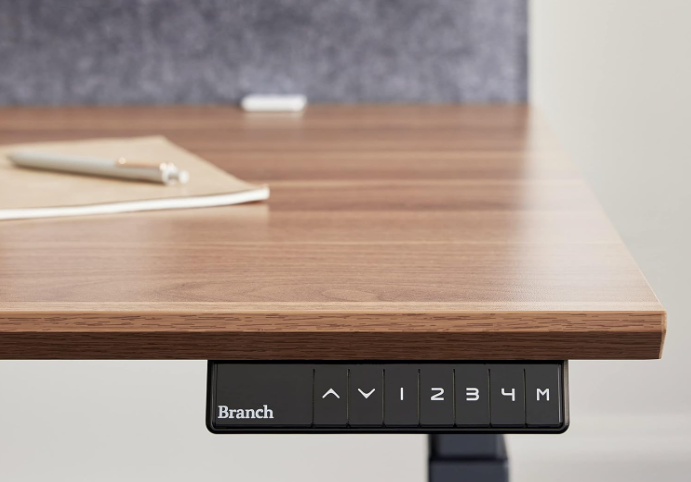
Our top pick for a small sized standing desk is the Branch Duo. Minimalist design and great functionality makes this a great option for any office. Easy to use and intuitive, the OLED control panel makes getting the perfect height as simple as pushing a button.
You get 20″ range of height (from 28″ up to 48″) as well as collision detection. You have 2 presets for your perfect heights and the desk can even remind you to stand up every once in a while!
This desk measures 24″D x 36″W x 28″H (lowest setting) which makes it the perfect sizes for smaller rooms. You can choose from a charcoal or white powder coated base and the desktop can be either charcoal, walnut, white or wood-grain.. Mix and match to get the perfect style for your space.
Clever design features such as rounded corners, cable area make this desk more functional.
Laminated MDF Top – Powder coated steel legs – Tapered feet for stability
SPECS
Product Dimensions: 24″D x 36″W x 28″H
Color: Choose from 2 base colors and 4 tabletop patterns
The next desk on our review is the Branch Standing desk. This desk is the same as the one above in it’s functionality and overall features, but it’s bigger and will give you more room for working or adding another computer monitor.
This desk also has a minimalist, clean design. The control panel is intuitive and easy to use and the dual motors ensure smooth up and down movement. One difference of this desk is that it comes with 4 memory presets as opposed to the 2 on the Branch Duo desk above.
The desk is adjustable from 25″ to 52″ so it works for pretty much anyone, no matter how tall they are. And, it can be used sitting too. The motors are quiet but powerful enough to raise this solid desktop and have an overall lift capacity of 275 lbs.
The laminated MDF top comes with a beveled edge and a grommet to keep your cords out of the way. The top comes in 3 color options: white, fog and wood grain. The metal, powder coated base comes in 2 color options: white or charcoal. You can mix and match the color of the top with the color of the base for the perfect look for your space.
The base comes with tapered feet for maximum stability.
SPECS
Product Dimensions: 30″D x 48″W x 25″H
Color Options – Base – White, Charcoal Top: White, Charcoal, Wood-grain
Base Material: Alloy Steel
Top Material Type: Engineered Wood
Size: 48″ Desktop
Item Weight: 120 Pounds
[wptb id=2366]
Who Is Branch Anyway?
Branch was founded in 2018. The CEO, Greag Hayes, was buying furniture for a commercial real estate company when he discovered the truth: office furniture was too expensive and the buying options were limited. He found that quality furniture was very expensive and took a long time to get, but less expensive furniture just didn’t hold up.
That’s why Branch is different, no middlemen, and the resultant 50% + markup. Branch focuses on providing top quality, ergonomic, furniture that is affordable.
Is Your Workspace Hurting You?
There are simple changes you can make to your workspace to ensure you’re not damaging your back while working, whether from home or an office.
Assess your ergonomics:
Your monitor: make sure when you’re sitting at your desk and looking at your monitor that you can look straight ahead without bending and see the top 1/3rd part of the screen. If your screen is too low, find something to raise it up, if it’s too high try to adjust your chair. To protect your eyes, take a break every 20 minutes or so and focus on something 20 feet away for 20 seconds (20,20,20 rule).
Your posture: Sit up with your feet flat on the floor and your back and shoulders gently pressing against the back of your chair. Armrests should be at the same height as your elbows.
Desk Chair: Your legs should have around 2″ of space between the back of your legs and the edge of your deskchair.
Stand: Stand up for between 15-30 minutes every hour. Branch desks make this easy, just push a button and your desk will rise to your pre-set level.
Good and Bad of Using Branch Desks
To stay healthy while working means you need to find the right balance between standing and sitting. Doing either for extended periods of time isn’t good for you. Ideally, try to stand up every hour for a minimum of 15 minutes.
Here are some pros and cons of standing desks:
Pros:
Better for your posture
Can prevent neck and back pain
Higher productivity. According to a recent study, productivity went up nearly 50% when workers started using standing desks.
Studies have shown that sitting for too long, even if you’re otherwise healthy, can affect your heart and cause serious health issues
Cons:
Initial expense of buying a new desk
Changing habits and actually standing throughout the day can be challenging for some.
A Branch desk won’t do it all on it’s own. You still need to take frequent breaks and move throughout your day. Try to take short walks on your breaks. Or, maybe just take a few minutes and walk up and down some stairs. Just keep moving!
Add an Ergonomic Chair To Your Branch Desk
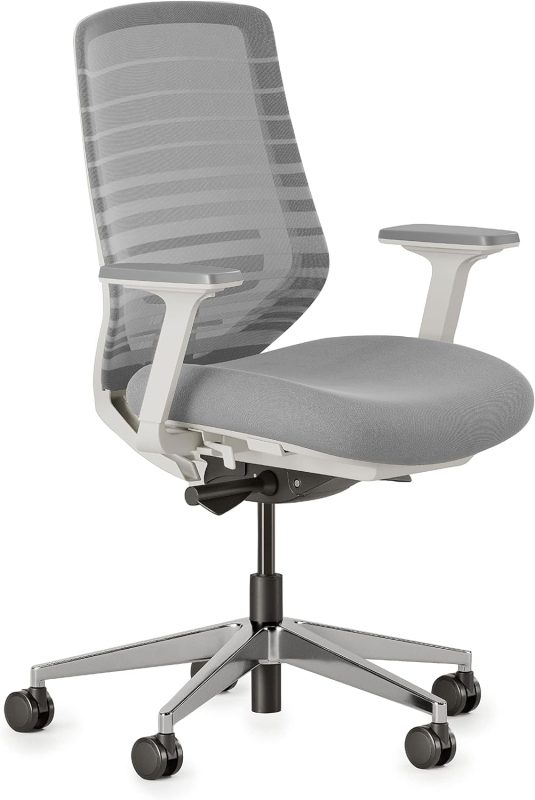
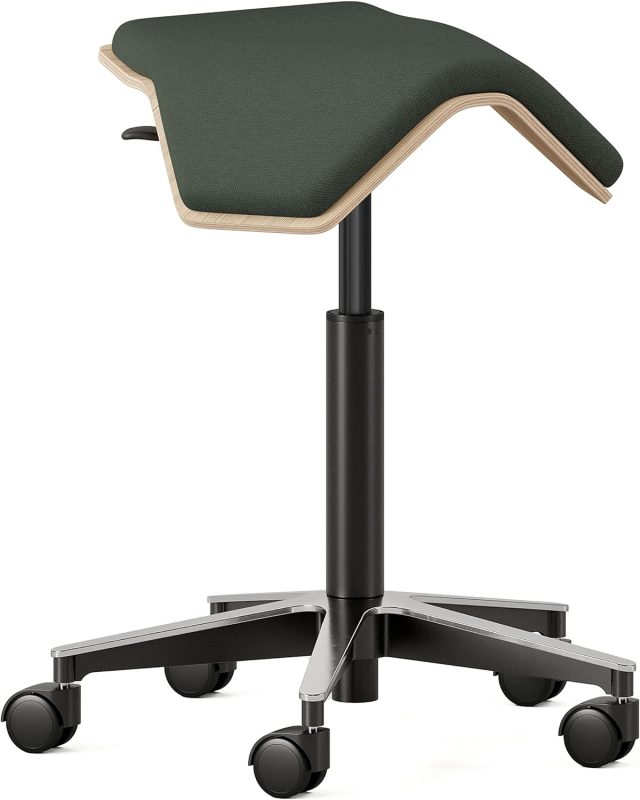
Branch also makes a full line of durably built, ergonomic office chairs that you can use with your new desk. They have different styles for you to choose from. Here are some of their top sellers:
Branch desks have built a reputation as being a top contender in the world of stand up desks. They are well built and come with quiet, powerful motors for long life and ease of use. The warranty varies from 2 years to 10 years depending on the product.
They are easy to assemble and come in a variety of color options both for the base and the desktop. Sturdy steel legs with tapered feet make them strong and stable. The grommet makes it easy to keep your cords out of the way.
The control panel is straightforward and easy to use. You also get either 2 (Branch Duo) or 4 (Branch Standing) presets for push button convenience. Your desk will go to whatever heights your choose.
As an affiliate, its your job to drive as much traffic to your offers as you can. In addition, you need to optimize that website traffic you’ve worked so hard to get. Building an email list right from the start of your affiliate marketing business is the closest thing you’ll ever get to having your own ATM.
The fact is that up to 98% of the people you send to your website will not buy and will not come back!
Yikes! That’s a lot of hard work down the drain.
But, if you use opt-in forms and landing pages to collect the email addresses of your visitors, you can communicate with them over time and build trust with them. So instead of a one and done visit to your website by up to 98% of the traffic you send, you can instead continue building a relationship with them for months, possibly even years! Sounds like the better option, doesn’t it?
Email Marketing Campaign Steps
Email marketing can be a powerful tool for businesses to connect with their customers and drive sales. Most people get dozens if not hundreds of emails every single day. How in the world can you make your email stand out and get noticed in a crowded inbox?
Here are 5 tips to help you create the best email marketing campaign possible:
Know your audience
The first step in creating an effective email marketing campaign is to know your audience. Who are you targeting? What are their interests and pain points? By understanding your audience, you can tailor your message to resonate with them and increase the likelihood that they will engage with your email.
Keep it simple
When it comes to email marketing, less is often more. Keep your emails simple and to the point. Use short paragraphs, bullet points, and clear calls to action. Avoid using too many images or flashy graphics, as these can distract from your message and make your email appear cluttered.
Learn how Aweber can automate all your email marketing, FREE. Click here!
Personalize your message
Personalization is key to creating the best email marketing campaign. Use your recipient’s name in the subject line and greeting, and tailor your message to their interests or past interactions with your brand. This can help to build a connection with your audience and increase the likelihood that they will engage with your email.
Use a clear call to action
Every email marketing campaign should have a clear call to action (CTA). This could be anything from “shop now” to “learn more”. Make sure your CTA is prominent and easy to find, and that it is aligned with the overall goal of your email. A strong CTA can increase click-through rates and drive conversions.
Test and optimize
Finally, it’s important to test and optimize your email marketing campaigns. This means experimenting with different subject lines, content, and CTAs to see what resonates best with your audience. Use data and analytics to track your results and make adjustments as needed. By continuously testing and optimizing your campaigns, you can improve their effectiveness over time.
The Bottom Line
Taking some time to build an email list and create the best email marketing campaign you can will enable you to earn more money from the traffic you’ve already sent to your website. Sending helpful, niche targeted emails consistently is how many of the top affiliate marketers make their money. It’s a good way for you to make money too, right?
So, you’ve heard people talk about the importance of creating a content marketing strategy but what is content marketing?
Well, let me break it down for you in simple terms. Content marketing is basically creating and sharing content that’s valuable and interesting to your audience, the people in your niche.
The idea is to attract and keep their attention by providing them with content that they’re interested in, can answer a question or solve a common problem. Helping the people in your audience have more success in the niche, will establish you as a helpful expert that they can count on. This will build trust and when you suggest a product or service, they will be more likely to make a purchase based on your recommendation.
The content can take many different forms, like blog posts, videos, social media posts, and more. But the key is to create content that’s not just a sales pitch, but rather something that provides value to your audience.
Follow These Steps To Build a Content Marketing Strategy
Step 1: Know your audience The first step to creating a successful content marketing strategy is to know who you’re creating content for. Whether a blog post, video or social media updates, you can’t create content if you don’t know what your audience needs. What questions and concerns do they have? Can you provide answers for some common problems people in your niche face? Are there any tools that would be helpful for the people in your niche to have more success? Find out what these questions are and provide answers to those questions in your content.
Step 2: Decide what and when Once you have a clear understanding of what information the people in your audience needs, it’s time to develop a content strategy. This should include a plan for the types of content you’ll make as well as what platforms you’ll upload it to. One thing that I do is to start with a blog post. Then, I create a video on that same topic. Then I’ll go to Facebook and put up a post with a snippet of my blog post and a link for anyone who is interested to read the rest. Also, you need to decide how much content you’ll create. Will you do a post a week? 3 Videos a month? Decide what your plan is and stick to it.
Step 3: Quantity AND quality Remember when creating your content strategy that while quantity is important, quality is equally important. Don’t get so fixated on putting up a ton of content that the content you create is half baked and not very helpful. You content creation should always be about what the people in your audience really want and need.
Speak in your voice. Be authentic and allow your audience the opportunity to get to know you. Really try to provide helpful information in an easy to understand way. When writing a blog post, use images and small blocks of text to make it easier to read. When creating a video make sure you can be clearly heard and that any text you have is easy to read. If your content isn’t easily accessible, it won’t do you much good.
Step 4: Optimize your content for SEO You want your content to show up on the first page of results for the keyword your targeting in that content. This means finding keywords that clearly explain the topic of your content, have low competition and high monthly searches. There are some tools that can make this process easier and more effective. The keyword tool I use, and love, is Jaxxy. It’s easy to use and has great keyword information. Also, I use Yoast SEO for my blog posts. It’s a plugin for WordPress and it’s been very helpful, even the free version.
And, don’t be afraid to use AI. There is a lot being said about AI tools and you should take full advantage of them. Just a word of caution: always go to Copyscape.com to ensure that the content you get from an AI is not plagiarized. Also, as good as AI is at creating content, it’s still not you. Always use the AI content as a starting point and add your own voice to the articles.
Step 5: Get your content seen Great content won’t do you any good if no one sees it! You also need to find the best ways to get your content in front of your audience. Share your posts, videos and updates on as many social media, channels as possible. Build an email list and send out email newsletters when you create a new piece of content.
Step 6: Look at the numbers It’s boring, at least to me, but important to measure and analyze the results of your content marketing. Google Analytics can help track your website traffic, engagement, and conversions. Use this data to adjust your strategy and improve your future content. Do more of the content types and topics that get the most visitors, clicks and purchases, and scale back on the topics that don’t drive as much engagement.
Step 7: Patience Content marketing is a fantastic way to drive traffic to your offers. You know the traffic is targeted, meaning you know that the people in your niche that are going to your website based on your content are really interested in what you have to offer.
But, it can take time to get going. You have to be willing to work consistently adding new content and be patient. It will take off but it may take time. The good news is that once a piece of content is driving traffic it may continue to drive traffic indefinitely. Do it once and potentially reap the benefits for years!
The Bottom Line
Content marketing is the best way to drive traffic for free. Since people are clicking on your content, reading your blogs and watching your videos, they are obviously very interested in that topic and niche. If they click through to your website, there is a very high chance they will buy whatever product or service you’re promoting. Yay!
Can you really make money online fast? The honest answer is that it depends on what you mean by “fast”. Will you start your affiliate business from scratch with very little money and have enough money to cover all your household bills within a month? It’s not impossible but it’s unlikely for someone just starting out.
There is a lot to learn. And a small budget means more grunt work and time to build your business. It’s not impossible but it’s likely to take a little longer.
But, if your idea of fast is to create a business that is making several thousand dollars a month within 3-6 months, then yes, I would say that is possible with the right help. Even with a small budget.
Money problems. It’s a phrase that strikes fear into the hearts of so many. And for me, it was a reality I couldn’t escape. Bills piled up on my kitchen table, each one a reminder of the debt that seemed to grow bigger every day. I felt like I was drowning in a sea of financial troubles.
I had opened a restaurant that ended up closing 3 years after opening. I was so far in debt it was terrifying and awful. I was raised to believe that not paying your bills was only a few steps above breaking the law. It was very emotionally draining.
I knew that I didn’t want to open any more brick and mortar businesses. It was way too expensive and dealing with the public and employees could be soul crushing at times.
But, I also knew that I wasn’t cut out to be an employee for someone else. Oh sure, I had part time jobs during high school and college but I just had a hard time trading my time for money. My time was worth more than what I could earn.
SO, no brick and mortar and no job, what else? I started to look online for inspiration and I stumbled across affiliate marketing – making commissions selling other peoples products. No inventory for me to buy, no customer service issues to deal with and no one – on – one with customers. Yay! Perfect!
But after everything I went through with the restaurant I was incredibly skeptical. Was it really possible to make money online from home with virtually no money?
Fortunately for me, yes it was. I’ve been working on my affiliate marketing business every since and I’ve enjoyed working from home setting my own hours and
not dealing with customers or employees.
What Not To Do When Starting An Affiliate Marketing Business
But, I have to be honest, there were downsides to starting an affiliate marketing business.
For anyone who has money issues and can’t see a way out, affiliate marketing may well provide you with the path to freedom. But there are some issues you need to be aware of before you start.
If you follow these tips you can avoid the mistakes I, and many others, have made when first starting out. Avoiding these mistakes means making more money more quickly and not wasting as much time and money.
So, here are the top affiliate marketing tips to learn to make money online fast:
Educate Yourself: this is much easier today than when I first started out. There is a great affiliate marketing training site that has an excellent reputation and can teach you everything you need to learn to build a hugely profitable affiliate marketing business.
Automate As Much As You Can: The 3 main benefits of building an affiliate marketing business is that it doesn’t cost much to start, you can reach people worldwide 24/7 and there is a lot of automation that will handle the tedious day-to-day tasks for you. That frees you up to do other tasks. Click here to learn how to maximize all your automation. Get more results from everything you do.
Learn How To Scale Your Business: Getting those first few sales as an affiliate is such a huge rush. But, eventually you’ll probably want to scale up to see just how much you can make. When it comes to that point, you’ll want to amp up your training and tap into more resources. Click here to learn how to jump to the 6 and 7 figure level with affiliate marketing.
What Not To Do When Starting An Affiliate Marketing Business
Using the resources I listed above will help you make money online fast. But, there are some pitfalls to be aware of.
Here are some of the things you want to avoid. Doing these things will waste time and money:
Don’t try to do it yourself. There are skills you need to learn if you want to make money online. They aren’t hard, but there are several moving parts to a profitable affiliate marketing business. If you try to skip training you will make unnecessary mistakes and spend more money than necessary and waste time. Take the time to learn the skills needed to have success online.
Don’t catch “bright – shiny object syndrome”. This is hard to avoid. I caught it early on in my affiliate marketing career. I would buy a product that promised that I would make money fast with practically no work. Of course, it didn’t work as promised. But instead of buckling down and taking the time to learn the skills needed to have success, I went out and bought another “sure thing” product. I wasted so much time and money. I only started making money when I just learned the different parts of affiliate marketing and put them into practice on a regular basis. Not fun, not sexy but that’s what it takes.
Don’t expect something for nothing. It’s true that building an affiliate marketing business is cheap, easy and quick to build. BUT, it will take some money, it will take some work and knowledge and it will take some time.
Don’t make the mistake of thinking an affiliate marketing business is “get rich quick” it’s not. It’s not a lottery ticket. It is a real business that can be grown virtually as large as you want. It is a business that can be started with very little money and you can become very successful in a short amount of time. But, keep your expectations in check and be willing to do what needs to be done and you’ll get where you want to be!
Like most any aspects of life, what you get out of your affiliate marketing business is directly related to what you put into your affiliate marketing business.
Use the resources I’ve listed above to get started. This is the most surefire way to make money online fast.
Project Platinum is a complete system that teaches newbies how to start and grow an affiliate business. It’s also helpful for people who have some experience but have plateaued and want to learn how to scale their business even further.
The system has many testimonials highlighting the successes of past students. Many students are making 6 figures a month.
Robby Blanchard, while not a household name, is very well known online. He is the highest earning Clickbank affiliate in the world.
WHAT YOU GET
This is a comprehensive system that gives you all the knowledge and tools you need to build an extremely successful affiliate marketing business. Here is a brief overview of the main components:
Immersive online course
Software, tools and the training to start and scale an affiliate marketing business
The system is set up to allow you to make money immediately and grow form there.
AI software to maximize your output while minimizing the time you spend on your business
Landing page builder so you can build a highly profitable email list. This is the only legal way to “print” money!
Detailed Breakdown
Step 1: Platinum Master Class. This is the foundation of the program. During this phase you’ll learn how to build a real affiliate business, one that you can scale and possibly pass down to your kids someday. You get all the training and strategies along with cutting edge tools to become a successful affiliate in record time.
Step 2: Automation: All the automation you need to create compelling copy for your landing pages, emails, ads and content. This automation will free up HOURS of your day without sacrificing your upward momentum!
Step 3: Traffic: Let’s face it, no matter how good your business is, you’ll be dead in the water without consistent, targeted traffic. With Project Platinum you’ll Learn where and how to drive all the traffic you’ll ever need. The easy to follow blueprint can show you how to generate enough traffic for hundreds of sales EVERY SINGLE DAY! This alone is worth the price of the program. Once you learn the secrets to successfully drive targeted traffic, you can use that to make money in any niche whenever you choose!
Step 4: Bit Ticket = Big Money: This is the stage were you’ll learn how to promote higher ticket offers. One high ticket offer can result in a huge commission. Easily and quickly pinpoint the best offer to promote and save hours of wasted time doing product research all while optimizing your income potential. Just think how much more money with less time you can make if you are making hundreds with just one sale! What would happen if you make several of those sales a month? A week? A DAY???
Step 5. Private Coaching: Complete access to a private coaching group made up of some very successful affiliates. Pick their brains, or answer other peoples questions. Learn the tips of affiliates who started with nothing, maybe just like you, and are now making 1,000’s of dollars A DAY!
Step 6: Case Studies: Find out the exact steps others have taken to build their business, and follow them. You’ll get access to the case studies that lay out the exact steps these students followed to build a 7 figure affiliate business. Then, use those as a blueprint to increase your affiliate income!
How Much Money Do You Want To Make?
And no, that isn’t a stupid question. Not everyone dreams of private planes and mansions. Some just want enough money to do what they want when they want it. Some want to make sure their family is taken care of. It doesn’t matter what your dream is, building your own affiliate business is the simplest, safest and easiest way to achieve that dream. Just ask someone who invested everything they had in an offline business that failed!
BONUSES
Ticket to an upcoming virtual training event. These tickets can sell for upwards of $1,000 and you get it free! Learn more from people making millions online.
6 Week Youtube class. Youtube is one of the most important platforms you can use to build your audience and make really good money. Learn all the tips and tactics to make Youtube propel your business upward.
Access to landing pages used by 7 figure earners. The landing pages, and a landing page creator, combine to give you a huge step up when building your email list. A great landing page can help you build an enormous list of hungry buyers. Having access to landing page templates that have a proven record of working exceptionally well is a great time saver and money maker.
Complete access to one of Robby’s other products, Spy Hero. Find out what others are running for ads and use that knowledge to create your own big money ads. You get 30 days access for free.
Access to Cometly. This software is a comprehensive tracking product so you can see what works and what doesn’t. Scale up the things that work and ditch the money sucking ads that don’t work.
Project Platinum app. Yep, you can use this app on IPhone and Android devices. Work your business and learn no matter where you go!
NOTE: During the special launch window, which ends April 6, 2023, you will get lifetime access to the Project Platinum AI. This software saves you loads of time without sacrificing your money making tools. Wait until after the 6th of April and this offer is gone!
About The Creator Of The Program
Robby Blanchard is the real deal by anyones metrics. He has made millions online. If he can do it, he teach you to do it too. He has created other courses in the past and every product has helped many people build profitable line businesses. Learn from the genuine article, not some wannabe “guru”. Robby Blanchard can show you the way.
Bottom Line
Like the previous systems developed my online millionaire Robby Blanchard, this system will give you the tools and training you need to build your own hugely successful online business.
You have two options in pricing:
A one time payment of $2,497
Or you can split it up into 3 monthly payments of $997
It is a higher priced course to be sure. But, the proof is in the pudding. Robby has helped countless students of his to achieve their goal online. And he can help you too. Just putting this knowledge to work might result in making that much in a week, or day!
We use cookies to ensure that we give you the best experience on our website. If you continue to use this site we will assume that you are happy with it.